Disbug can collect a report from your team or from a user on your website. Choose the method that matches the reporter.
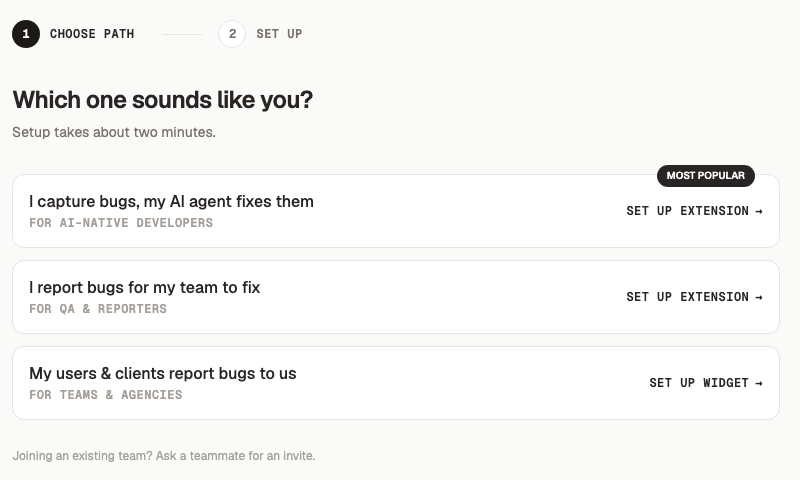
When you set up Disbug, the app asks which path fits you. Each path sets up the extension or the widget.
## Use the Chrome extension for team testing
Use the extension when a developer, tester, or product manager finds a problem. It gives the reporter full capture controls.
A report can contain:
- One or more pins on page elements
- A screenshot for each pin
- Written or voice feedback
- Console errors and network requests
- Recent user actions and instant replay
- A screen recording
Choose the extension when your team can install it and sign in to Disbug. To set it up, follow [Install the extension and report your first bug](/install-the-extension-and-report-your-first-bug-0e29db0c).
## Use the website widget for customer reports
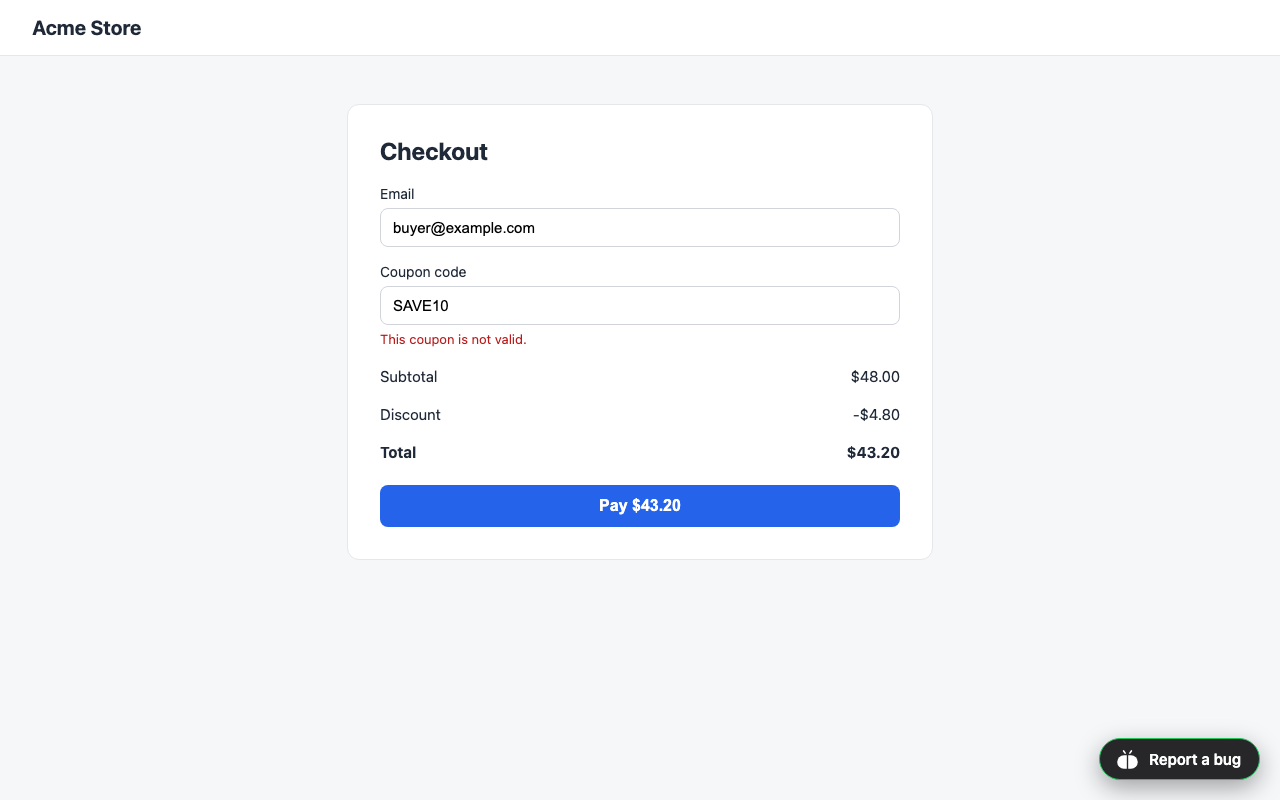
Add the widget when users must report a problem without leaving your website. The widget displays a **Report a bug** button. Each report goes to the project that owns the widget key.
A reporter does not need a Disbug account. This makes the widget suitable for SaaS products, client websites, and staging sites. To set it up, follow [Add a report button to your website](/add-a-report-button-to-your-website-8ca182ca).
## Use the CLI or MCP after capture
The CLI and MCP do not capture a browser problem. They let a developer or coding agent read a saved report and its evidence.
Use the CLI in a terminal or script. Use MCP when a coding agent supports MCP tools. Read [Choose between API keys, CLI, and MCP](/choose-between-api-keys-cli-and-mcp-ac09b73e) to compare them.
## Quick choice
| Your goal | Use |
| --- | --- |
| Report a problem during team testing | [Chrome extension](/install-the-extension-and-report-your-first-bug-0e29db0c) |
| Let a customer report from your site | [Website widget](/add-a-report-button-to-your-website-8ca182ca) |
| Record a visual reproduction | [Chrome extension](/capture-hard-to-reproduce-bugs-3986142f) |
| Read reports in a terminal | [CLI](/choose-between-api-keys-cli-and-mcp-ac09b73e) |
| Let a coding agent inspect reports as tools | [MCP](/connect-a-coding-agent-and-watch-for-reports-87cb32a4) |
You can use the extension and widget in the same project.
## Next step
- [Install the extension and report your first bug](/install-the-extension-and-report-your-first-bug-0e29db0c)
- [Add a report button to your website](/add-a-report-button-to-your-website-8ca182ca)
- [Organize reports with projects](/organize-reports-with-projects-b52fac17)
Choose how to report a bug
Disbug can collect a report from your team or from a user on your website. Choose the method that matches the reporter.
When you set up Disbug, the app asks which path fits you. Each path sets up the extension or the widget.
Add the widget when users must report a problem without leaving your website. The widget displays a Report a bug button. Each report goes to the project that owns the widget key.
The widget button on a website
A reporter does not need a Disbug account. This makes the widget suitable for SaaS products, client websites, and staging sites. To set it up, follow Add a report button to your website.

